Behance Display3.3
Publisher Description
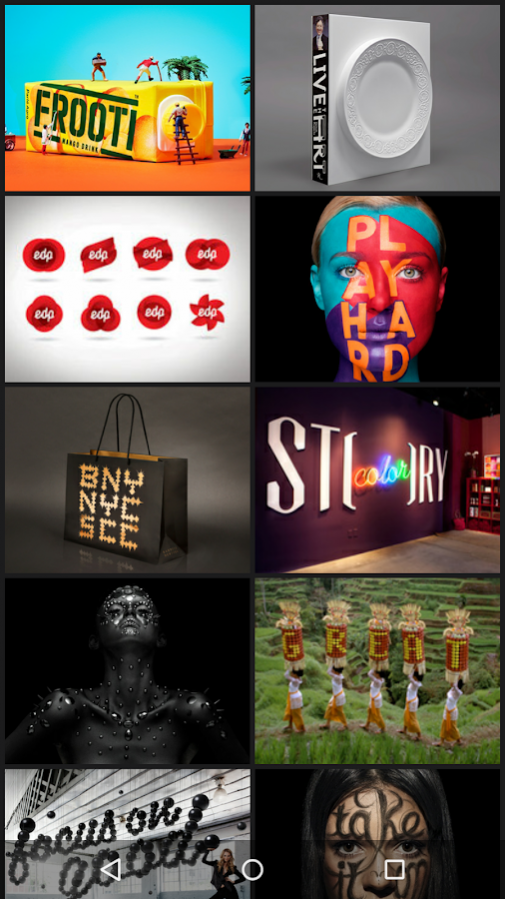
Display is a free and elegant way to showcase your work even without an internet connection. Sync with Behance and take your work with you anywhere.
KEY FEATURES
- Download all of your existing Behance projects
- Display your work even without an internet connection
- Customize your portfolio - decide what work to show and how to show it
GETTING STARTED
You'll need a free Behance account to sync your projects. Create your account at Behance.net.
ABOUT BEHANCE
Behance is the leading online platform to showcase & discover creative work and is part of the Adobe Family. Behance’s team of curators feature new work every day from top portfolios in the fields of design, fashion, illustration, industrial design, architecture, photography, fine art, advertising, typography, motion graphics, sound design, and many more. Leading creative companies find talent on Behance, and millions of visitors use Behance to track the latest and greatest creative talent.
If you have any issues or suggestions email us at BehanceMobile@Adobe.com
About Behance Display
The company that develops Behance Display is Behance Inc.. The latest version released by its developer is 3.3. This app was rated by 4 users of our site and has an average rating of 3.5.
To install Behance Display on your Android device, just click the green Continue To App button above to start the installation process. The app is listed on our website since 2017-10-17 and was downloaded 107 times. We have already checked if the download link is safe, however for your own protection we recommend that you scan the downloaded app with your antivirus. Your antivirus may detect the Behance Display as malware as malware if the download link to com.behance.portfolio is broken.
How to install Behance Display on your Android device:
- Click on the Continue To App button on our website. This will redirect you to Google Play.
- Once the Behance Display is shown in the Google Play listing of your Android device, you can start its download and installation. Tap on the Install button located below the search bar and to the right of the app icon.
- A pop-up window with the permissions required by Behance Display will be shown. Click on Accept to continue the process.
- Behance Display will be downloaded onto your device, displaying a progress. Once the download completes, the installation will start and you'll get a notification after the installation is finished.
Program Details
System requirements
Download information
Pricing
Version History
version 3.3
posted on 2017-10-17
PUBLISHING IMPROVEMENTS
The editor now supports adding text to your projects, and has been redesigned to make accessing your photos fast and easy
-----
SIGN IN WITH GOOGLE AND FACEBOOK
Use your Facebook or Google ID to sign into Behance
Grid Support!
Multiple Accounts
Bug Fixes
version 2.2.3
posted on 2015-10-02
Display — we’ve given the app a fresh new name and icon
